How It Works
From collecting student interests to delivering personalized schedules — Jobsplore handles it all in four simple phases.
Discover Demand
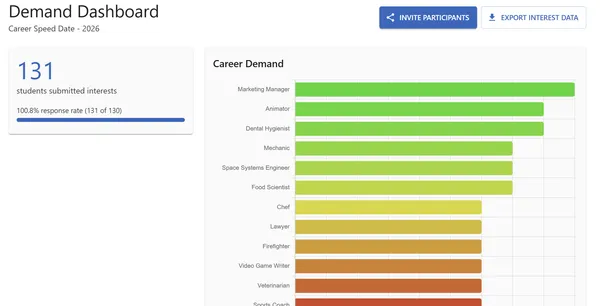
Collect student career interests before you start recruiting mentors. See which careers are most popular. Use real data to recruit the right mentors — no more guessing.
- ✓ Mobile-friendly interest submission form for students
- ✓ Visual demand dashboard showing career popularity
- ✓ Data-driven mentor recruitment recommendations
- ✓ Export interest data for offline planning
Plan Your Event
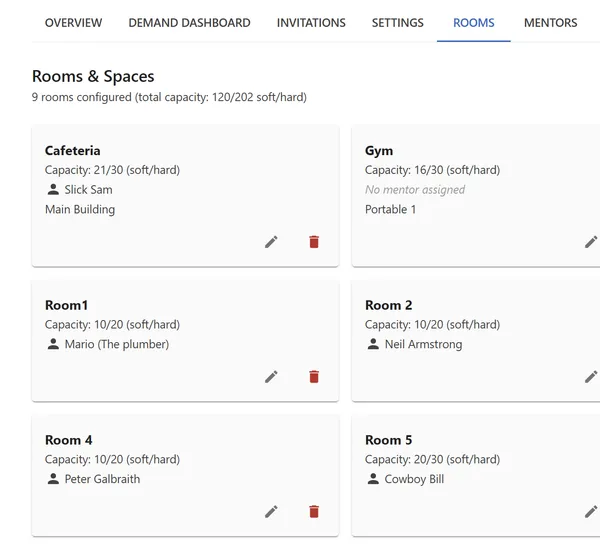
Configure your event with a guided wizard. Set up time slots, rooms, and mentors. Jobsplore handles the complex logistics so you can focus on recruiting great speakers.
- ✓ Guided event configuration wizard
- ✓ Time slot and room management with capacity limits
- ✓ Mentor assignment to careers and rooms
- ✓ Real-time registration monitoring dashboard
Register Students
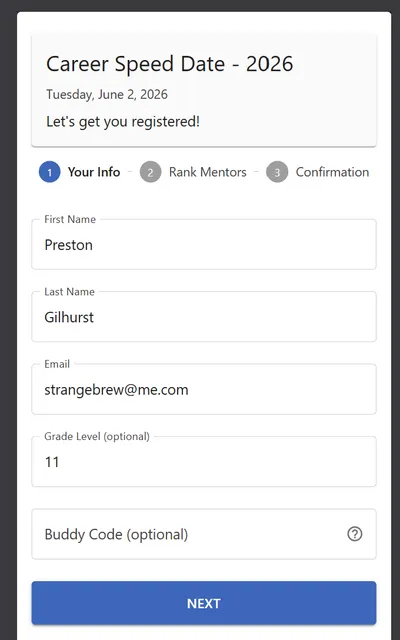
Students register online with their career preferences and optional buddy pairing. Walk-ins register on-site using a tablet-friendly interface. You see real-time signup numbers as they come in.
- ✓ Online registration with career preference selection
- ✓ Buddy pairing so friends attend sessions together
- ✓ Career exclusions (careers students want to avoid)
- ✓ On-site tablet registration for walk-ins and late arrivals
Auto-Schedule & Deliver
One click runs the intelligent scheduling algorithm. Students get assigned to their preferred career sessions automatically. Professional PDF schedule cards are generated and emailed — ready to print and wear at the event.
- ✓ Intelligent constraint-based scheduling algorithm (runs in under 60 seconds)
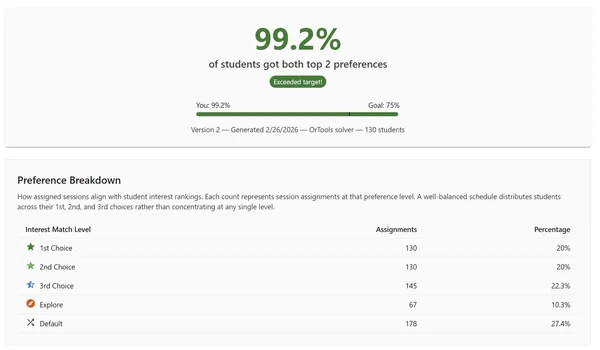
- ✓ 75%+ preference satisfaction — most students get their top career choices
- ✓ Professional PDF schedule cards delivered via email
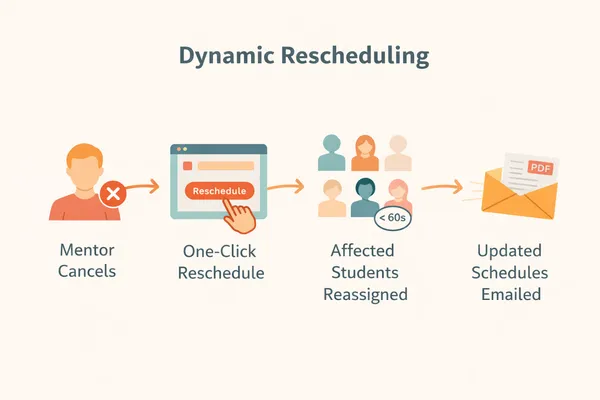
- ✓ Dynamic rescheduling if a mentor cancels (new schedules in under 60 seconds)
Professional Outputs
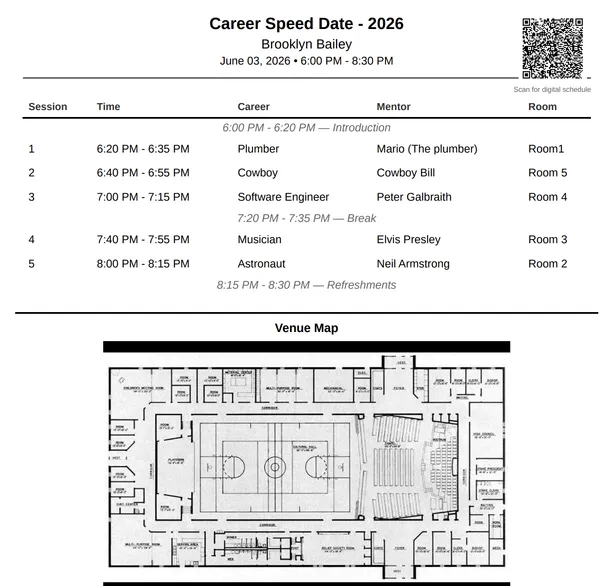
Make your event look polished and organized. Jobsplore generates professional PDF schedules that students can print or pull up on their phone. Schedules are delivered via email before event day — students arrive knowing exactly where to go.
- ✓ Professional PDF schedules with session details, room assignments, and QR codes
- ✓ Includes student name, session times, career/mentor names, and room numbers
- ✓ Automated email delivery via Mailgun with delivery status tracking
- ✓ Resend capability for failed deliveries
- ✓ Print-friendly format — works in black & white
Dynamic Rescheduling
A mentor just called in sick 30 minutes before the event. With Jobsplore, mark them as unavailable, click "Regenerate Schedules," and every affected student gets reassigned in under 60 seconds. Updated PDF schedules are automatically emailed to only the students whose schedules changed.
- ✓ Mark mentors as unavailable with one click
- ✓ Algorithm reruns in under 60 seconds, redistributing affected students
- ✓ Only affected students receive updated schedules (not everyone)
- ✓ Automatic detection of which schedules changed
- ✓ Works for multiple mentor cancellations simultaneously